Desktop music IDE available now

Build your next AI music session with Lyria Studio.

A node-based desktop studio for Google Lyria Realtime. Route prompts, instruments, vocals, and output into one graph, then capture, arrange, automate, and export the result.

Mac • Windows • Linux

If macOS says "Lyria Studio" is damaged, run this command

xattr -rd com.apple.quarantine /Applications/Lyria\ Studio.app
  • Realtime Lyria instrument streaming
  • Lyria 3 Pro vocals clip generation
  • Timeline editing, automation, and export
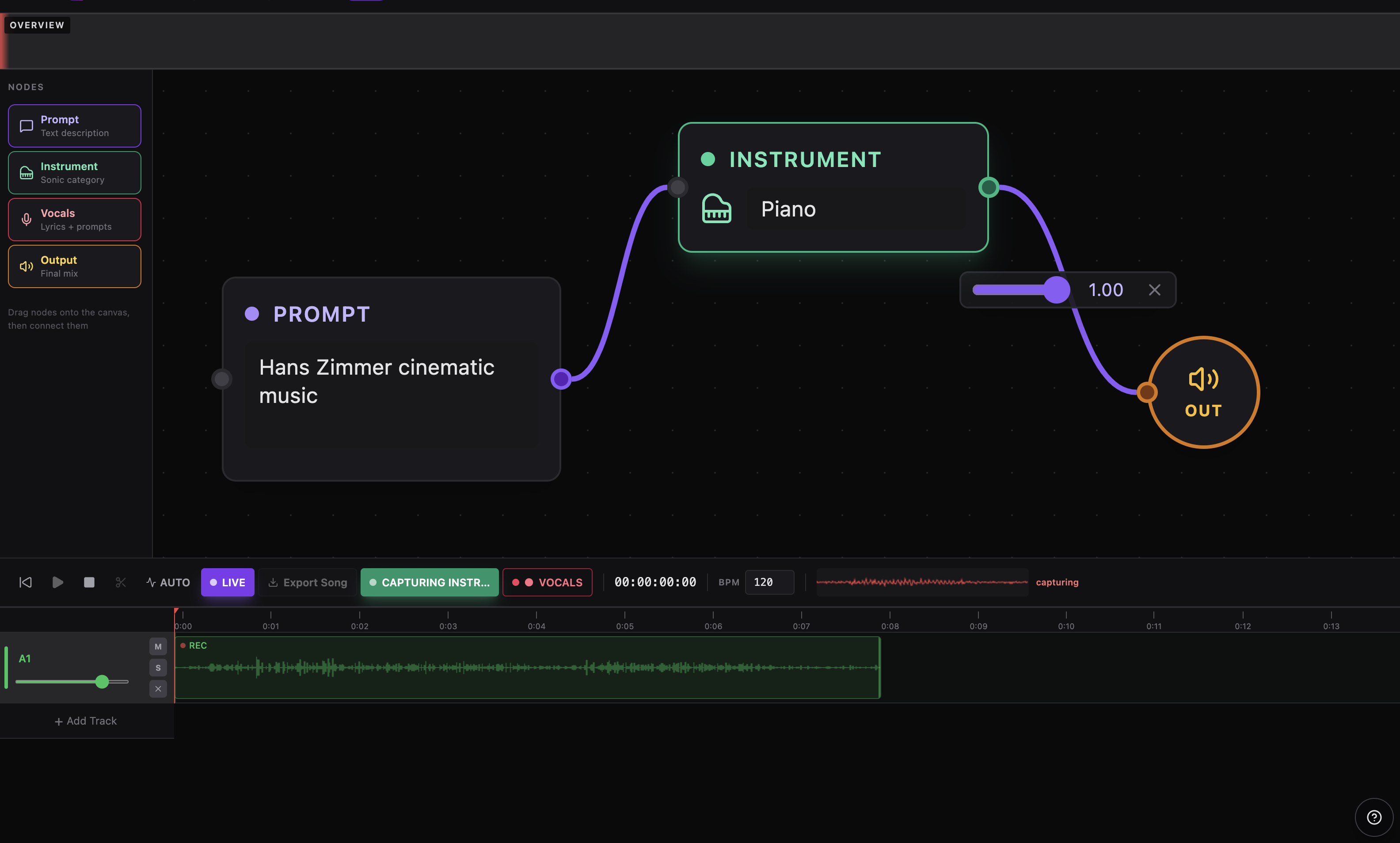
Lyria Studio graph editor and timeline overview
Realtime + clip workflow stream instruments live, then save instrumentals or vocals directly onto the timeline
Desktop studio layout toolbar, overview, graph editor, properties panel, transport, and multitrack timeline in one view
Offline-ready export render mixdowns to WAV or supported compressed formats from the arranged session
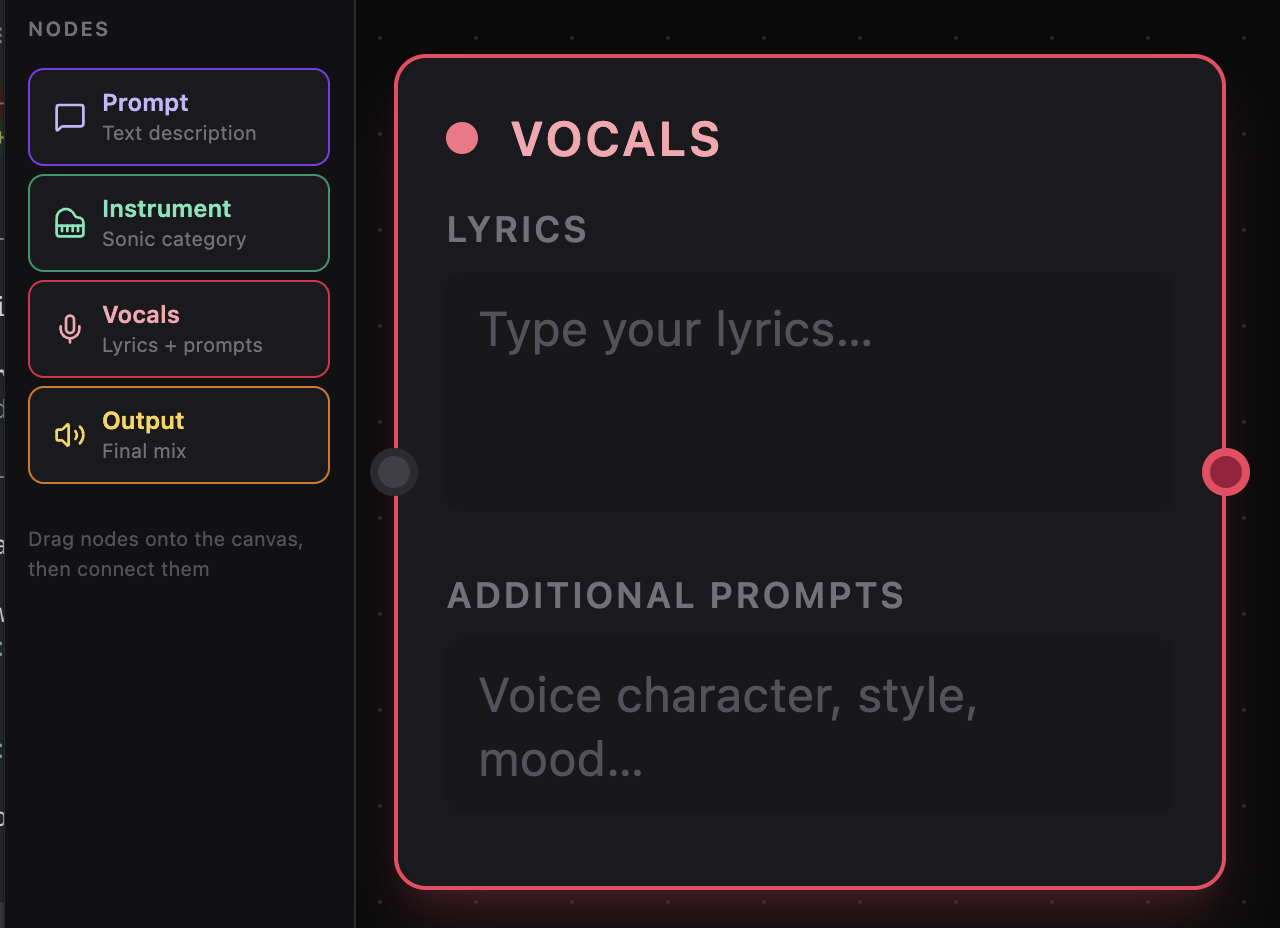
Lyria Studio vocals node editor

Vocals Editor

Shape The Vocal Direction In A Surface That Stays Effortless.

Write lyrics, guide the tone, and refine the mood in one quiet, focused place. It keeps the session feeling fluid, so the idea stays in motion while the details come into focus.
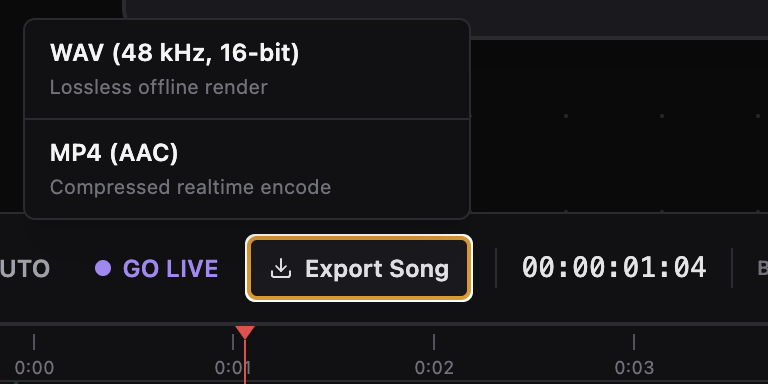
Lyria Studio export song menu

Export Flow

Export Lives Right Where The Session Already Feels Complete.

The handoff from live experimentation to final render feels immediate. Nothing pulls you out of the moment when it is time to turn a sketch into something you can keep.

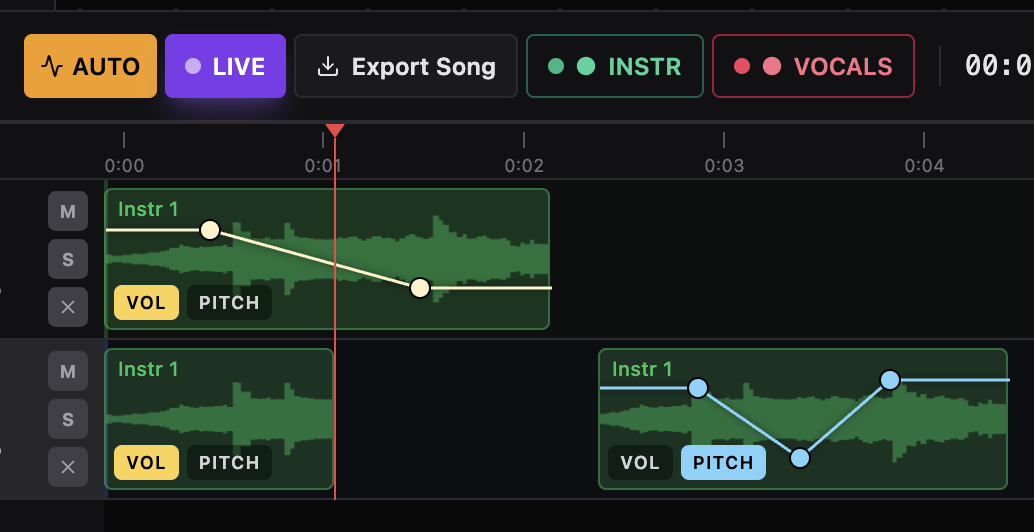
Lyria Studio timeline automation controls

Timeline Automation

Fine-Tune The Arrangement Exactly Where The Music Is Taking Shape.

Volume and pitch adjustments stay directly on the clips, which makes every move feel tactile, precise, and easy to hear. The timeline becomes part of the performance, not just the place where it ends up.

Workflow

Compose with graph logic, then finish on a timeline.

The app separates ideation from arrangement without breaking the session. Prompt and instrument chains feed the live stream, vocals can generate as standalone clips, and both land in an editor with scrubbing, splitting, zoom, and automation.

Graph-first authoring

Weighted prompt routing with distinct audio paths.

Drag Prompt, Instrument, Vocals, and Output nodes onto the canvas, connect them with weighted edges, and let the graph determine which prompts feed the live instrumental model versus the vocals render path.

Live monitoring

Control transport while the session streams.

Play, pause, stop, go live, capture instrumentals, capture vocals, monitor waveform activity, and keep BPM visible.

Editing surface

Arrange clips with automation and export built in.

Use the timeline for tracks, clip splitting, playhead scrubbing, zoom, overview navigation, volume and pitch envelopes, and final mix export.

Features

Made for fast music iteration.

01

Node-based composition canvas

Build songs by connecting prompts, instruments, vocals, and output in one clear graph instead of juggling disconnected generations.

02

Live generation with separate vocal control

Stream instrument ideas in realtime, generate vocals independently, and keep each part of the song editable without rebuilding everything.

03

Focused editing controls

Edit prompts, lyrics, instrument choices, and routing from a dedicated inspector while staying inside the same session.

04

Capture, arrange, automate, export

Commit live takes to tracks, edit envelopes, adjust pitch automation, split clips at the playhead, and export a final song file.

FAQ

What creators usually ask first.

What is Lyria Studio for?

It is a node-based music IDE for directing AI-assisted composition, streaming instrumentals live, generating vocals clips, and arranging the results in a timeline.

How do vocals differ from instrument generation?

Instrumental prompts can drive the realtime live session, while vocals use a dedicated clip-generation path and can be captured separately onto the timeline.

What editing controls are already in the product?

The app already includes transport controls, BPM editing, split-at-playhead, track management, zoomable timeline navigation, waveform previews, and automation editing.